Week six: we played it as a total newbie
Cerberus got a shelf of ready-to-play heroes, rules words that explain themselves on a tap, and reactions like Shield and Counterspell that make the table wait. Then we played the whole thing nine more times. Here's how week six went.
Week five was a pile of new stuff. Week six was the shake-down. Not much new ground, a lot of playing the app as different people and fixing whatever they tripped on. It started with one idea: what if the tester had never played before?
That one run led to a shelf of ready-to-play heroes, rules words you can tap, a little “Ready” moment when you finish a hero, and reactions in combat. Then we played it eight more times. 37 merged pull requests, most of them fixes.
Testing as someone who’s never played
Our test passes have always played the app like someone who knows what they’re doing. This time I wanted the tester to have a point of view: a brand-new player, sitting down to build a Human Wizard cold. We called the persona Robin.
That run found 24 issues, 7 of them major. Then I wanted a second run as a new Cleric player, and I restarted it blind so the tester didn’t know it was a test. It found more. Opus fixed the bugs from both runs and Fable took the polish.
Don’t pick for me
Some of the first fixes made picks for the player, like a button that dropped in starter spells. It fixed the finding, but I didn’t like it. If the app holds a new player’s hand too hard, they never read and never learn. And a player who does know what they’re doing might want to try something weird.
So we drew a line. The builder never picks anything for you. It can recommend, though. The background step marks the best fit for your class with a “Good fit” chip, Sage for a Wizard, Acolyte for a Cleric, and nothing is selected until you tap it.
The hand-holding went somewhere else instead: a “Ready to play” shelf on the Heroes screen with twelve level 1 heroes, one per SRD class, each built by hand for its class. Fable built it. I asked for one of them to be named Steve. The Fighter is Steve.
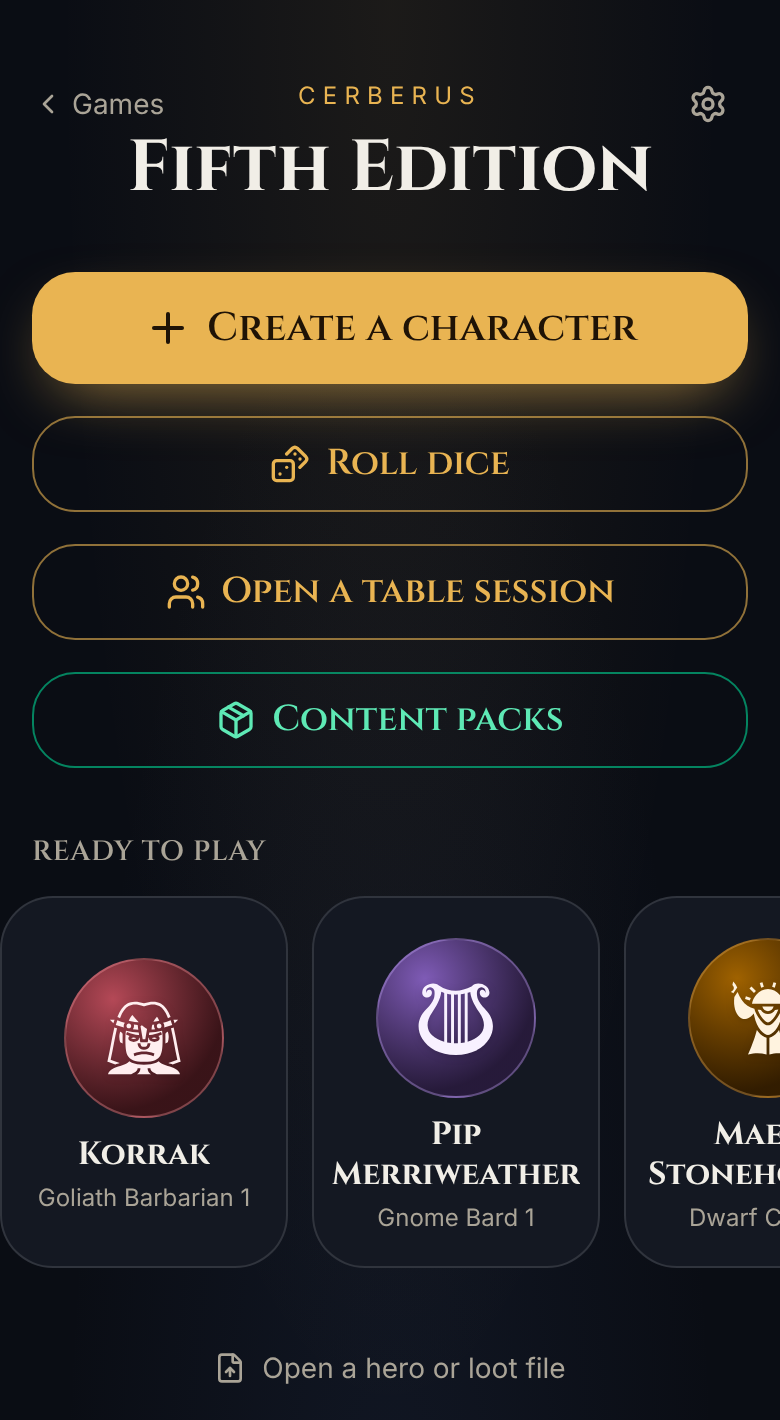
Tap one and it copies into your heroes and opens the builder’s Review step, where every pick has an Edit next to it. They all start at level 1 on purpose, so the subclass at level 3 is still a choice the new player makes and reads about.
Under the hood, each prebuilt hero is stored as its choices, not its numbers, same as any hero you build. So when a rules fix lands, Steve gets it too. And there’s a test that fails if a content change ever leaves one of them with a choice still open.
Rules words that explain themselves
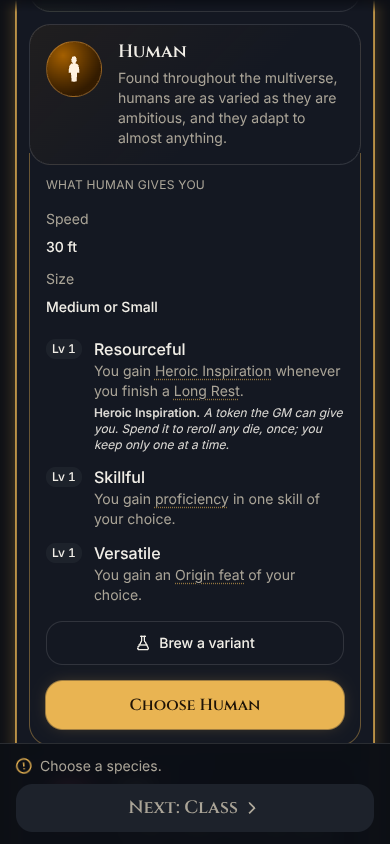
The other thing Robin kept bumping into was vocabulary. What’s a Hit Die? What’s an Origin feat? Now about fifty SRD rules words are dotted-underlined wherever they show up in class, species, background, feat, feature and spell text. Tap one and a one-line meaning opens right under the sentence. No pop-up, no new screen.
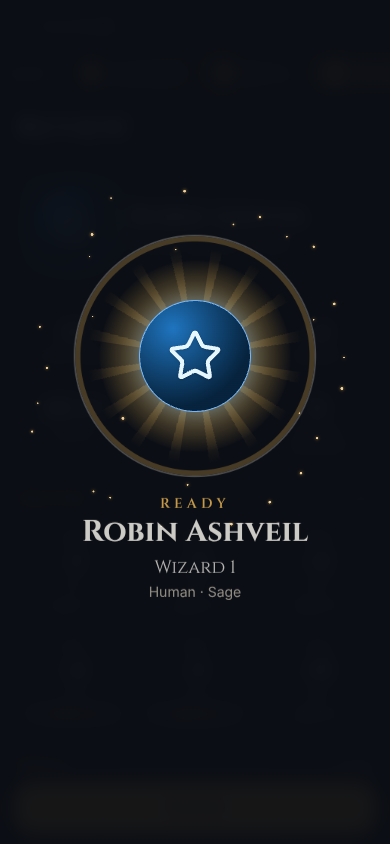
And when you finish a new hero, you get a moment for it: your hero’s sigil in the level-up burst, with a chime. Building a character should end with a little fanfare, not just a sheet.
A few smaller ones from the same runs: the Spells step now groups your picks under the class, species or background they come from, and you can join a table from the first screens instead of hunting for it on the sheet.
Everybody wait, I’ve got a reaction
Shield came up in Robin’s findings. I liked that one and wanted to go wider: any reaction that could change what’s happening should pop up, for players and monsters. If that slows the table down a little, that’s fine. That’s what a real table does too.
So now there’s a moment between an attack landing and its damage where the table waits. A hero who can cast Shield sees “Shield · AC 17 · it misses” and casts it with a tap. A bard can spend Cutting Words. When a monster casts a spell, anyone with Counterspell prepared gets asked. Monsters get to react too: Parry, or a Goblin Boss’s Redirect Attack shoving the hit onto one of its buddies, shows up on the DM’s screen.
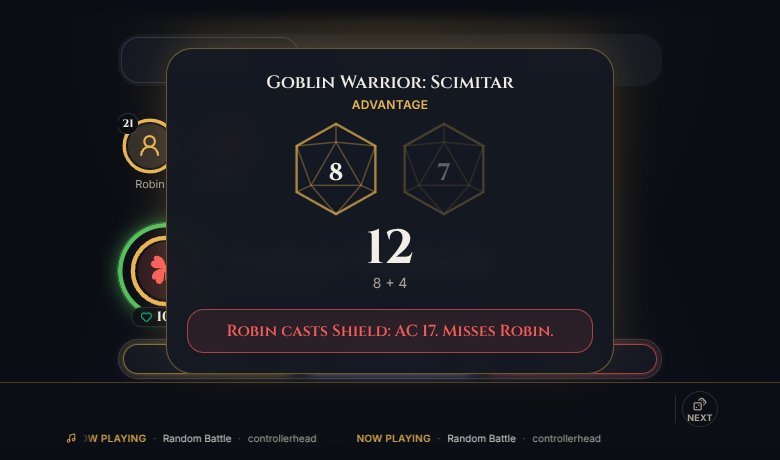
The trick is only asking when it matters. A reaction only shows up when it would actually turn a hit into a miss. A physical attack never asks about Counterspell, and a spell never asks about Shield. If nobody answers, the hit lands after a minute, and the DM can move on without waiting on stragglers. Fable built it, and Opus picked up the follow-ups later in the week: Shield stopping Magic Missile, Deflect Attacks on mixed damage, Stunning Strike reaching the DM’s monsters.
Reactions that depend on where everyone’s standing, like Opportunity Attacks, went on the roadmap under the map section. There’s no game board yet, so they wait for one.
Why does every run find more?
Here’s the part that bugged me. The newbie runs kept finding things our full test pass had missed. Every time we ran something, we found more. That made me think the plan was the problem, not the app.
So we reviewed the plan and rewrote it, and I took every proposed change. Fable wrote the new one. The big one: every full pass now plays through all twelve classes, split into four tracks (player, classes, fight and homebrew).
Then we ran it. And ran it again. Nine rounds this week, 42 test runs logged, each round followed by a fix PR, and I merged each round before the next one started. Opus did the fixing. Some of what came out of it: real Steady Aim and Cunning Strike, hits that stopped getting lost, Action Surge first on the combat wheel, Rage ending when combat does, Scorching Ray picking a new target for each ray, Hex asking which ability it targets, and Cantrip Change on level-up for the classes that get it.
The first newbie run found 24 issues. The latest fight pass found 4, with zero blockers.
What didn’t go great
I tried letting the test, review, fix loop run a few rounds on its own, and gave it permission to merge. It didn’t manage the extra rounds, so I took merging back. Every round after that, I merged by hand.
Merge conflicts were the other tax. With player, class, fight and homebrew fixes all landing at once on the same handful of files, most rounds needed a catch-up merge from main. A few of those had to pick between two versions of the same fix, like two different takes on Cunning Strike.
And one pass reported Hex not adding its damage at a table. On a fresh check with a Warlock and two Ghouls, it worked both rounds, even after a missed beam. So it got logged as “not reproduced”, not “fixed”. Honestly, I’d rather say that than claim a fix for nothing.
The newbie Cleric run also found you could roll death saves off your turn, and more than one a turn. Under strict rules in a fight, it’s now one save, on your turn, rolled as the Hit Points panel opens.
Also in the pile
The homebrew workshop from last week now walks you through every kind of brew one step at a time, the same way the character builder does. I wanted making a brew to feel as easy to follow as making a hero, and Fable built it. Feedback works in the app on every build now, and long-pressing a hero tile no longer highlights the text in its menu on iOS.
There was one call I kept as is: in a fight, the “Next attack” card stays above End turn. Players rarely want to end their turn early, and I didn’t want to add clicks to get there.
That’s week six. See you next week.