Week five: brew it, try it, play it
Cerberus got a homebrew workshop that brews anything from a magic item to a whole class and tries it on a test hero first, loot turned into a bounty with a d20 roll off, and the DM's phone got tabs. Here's how week five went.
Week four, the DM got to play. Week five, everybody got to make their own stuff. In about a day Cerberus picked up a homebrew workshop that brews a magic item, a feat, a spell, a background, a species, a subclass or a whole class, and lets you try it on a test hero before you save it. Loot stopped being a free-for-all, the DM’s phone got tabs, and the app now opens on a lobby.
That was 69 merged pull requests, 25 of them homebrew. So this post goes deep on the workshop and on loot, and the rest gets the usual one breath at the end.
From a checker to a workshop
Last week we shipped a checker for homebrew pack files. It points at the exact line that’s broken. Pretty handy if you write JSON for fun. Most people at a table don’t. Seeing it got me thinking: if the app can already check a pack, why can’t it build one?
Fable mapped out three ways in. Brew a thing from scratch. Brew a variant of something from the SRD. And brew right from the DM’s own tools in the middle of a session. That was exactly what I had in mind, so I said do all three, in that order. It was sitting in a later phase of the roadmap, and I pulled it forward. Opus built it.
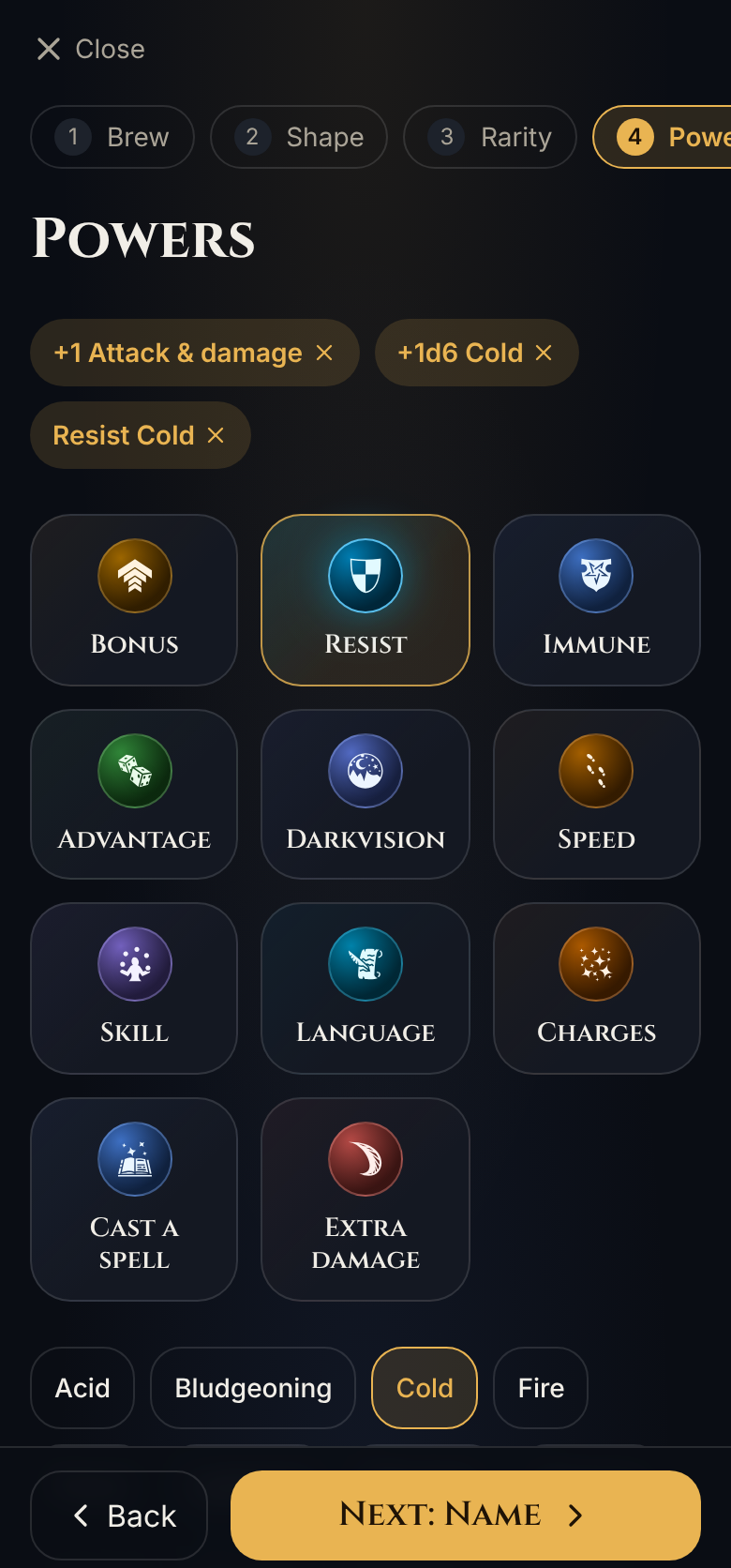
The brewer works like the character builder: one step at a time, with tiles to tap. A magic item starts with a shape and a rarity, then you pick its powers.
No new rules language
Here’s the call that made the whole thing work. The workshop doesn’t invent anything. Every power tile is something the rules engine already understands, the pack checker runs on every change, and the Brew it button waits until there are no problems left. So a brew isn’t a blob of text the app hopes it can read later. It’s the same kind of data the SRD content is made of.
That paid off fast. Feats, spells, backgrounds, species and subclasses all landed the same day as items. Any SRD item, feat, spell, background or subclass card in the builder has a “Brew a variant” button now, so you can start from the real thing and tweak it.
A whole class, level by level
Then the big one: a full class. You build it on a rail from level 1 to 20, and each level’s features are built like a feat. A new class starts with Ability Score Improvements and an Epic Boon at the levels where every SRD class has them, so you’re not starting from an empty rail.
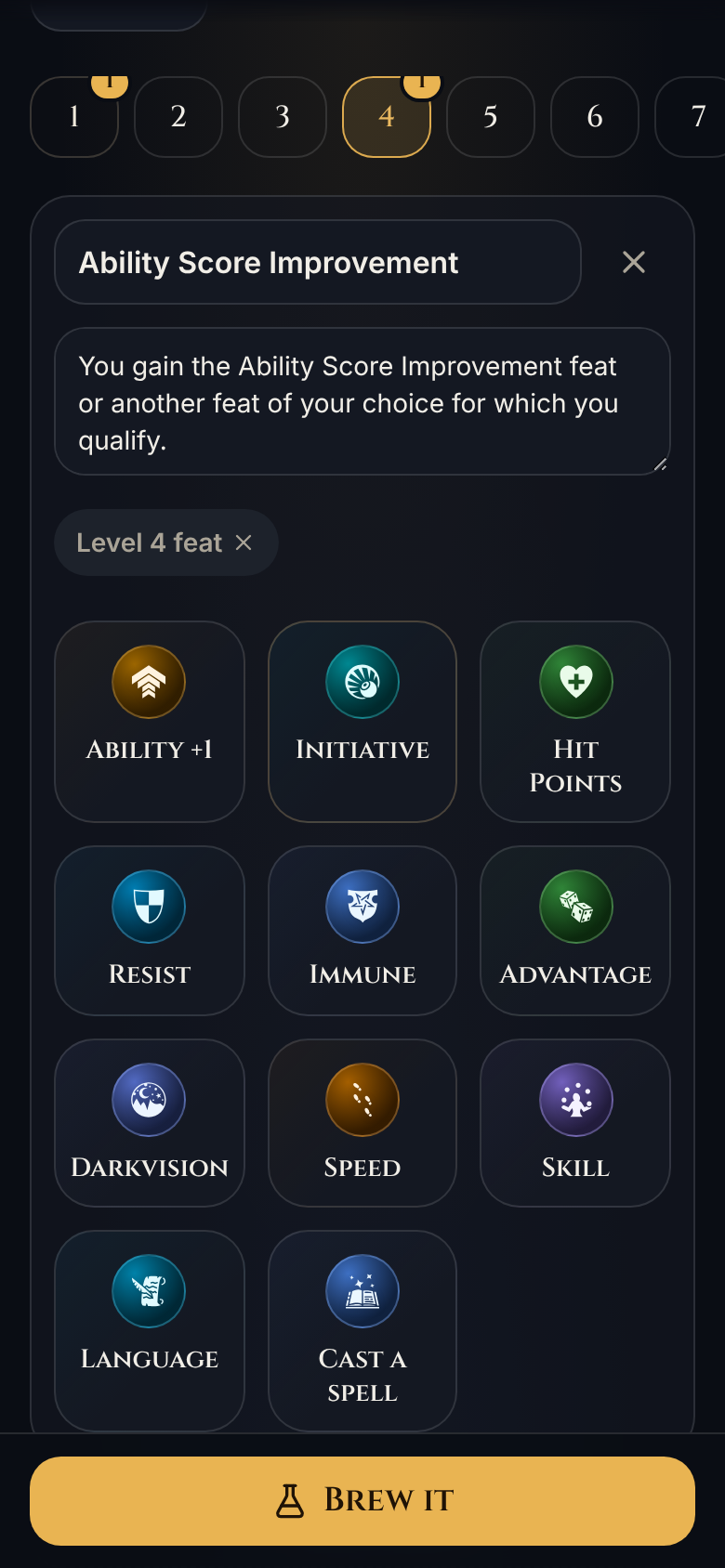
A test hero sits next to the form and shows the brew live: HP, AC, saves, features and uses at whatever level you pick, plus anything the engine refuses. You see what your class actually does before anyone at the table does.
Proving a brewed class is a real class
How do you know the class brewer is right? We made it brew every SRD class back as a variant and compared the hero it derives against the real class at levels 1, 5 and 20. HP, saves, features, Rage, Sneak Attack, Wild Shape and more. If a brewed Barbarian doesn’t rage like the real one, the test fails. The creature brewer got the same treatment against every SRD stat block.
At the table, and out the door
The DM can brew straight from their tools mid-session too. An item goes right into the loot, and a creature goes into the monster library, written as stat-block text that the same parser reads for the SRD’s monsters. And when you’re done, a brew shares as a pack, with a one-tap choice between “my table” and “anyone” (CC-BY-4.0).
Loot was a grab bag
Loot used to hit every phone the moment the DM typed it. Take was first tap wins, and it worked in the middle of a fight. It was a little rough, and it was a free-for-all: anyone could grab from the pile mid-combat.
Fable brainstormed it and built it. The big idea is that a tap is a claim, not a take. The DM’s loot stays hidden until they hit Show the party. Players tap what they want, everyone’s initial shows on each tile, and nothing lands in anyone’s pack until the bounty closes. Since nothing goes in early, nothing ever has to get pulled back out.
When more heroes want something than there is of it, they roll off. A d20 each, on their own phones, highest wins, ties reroll.
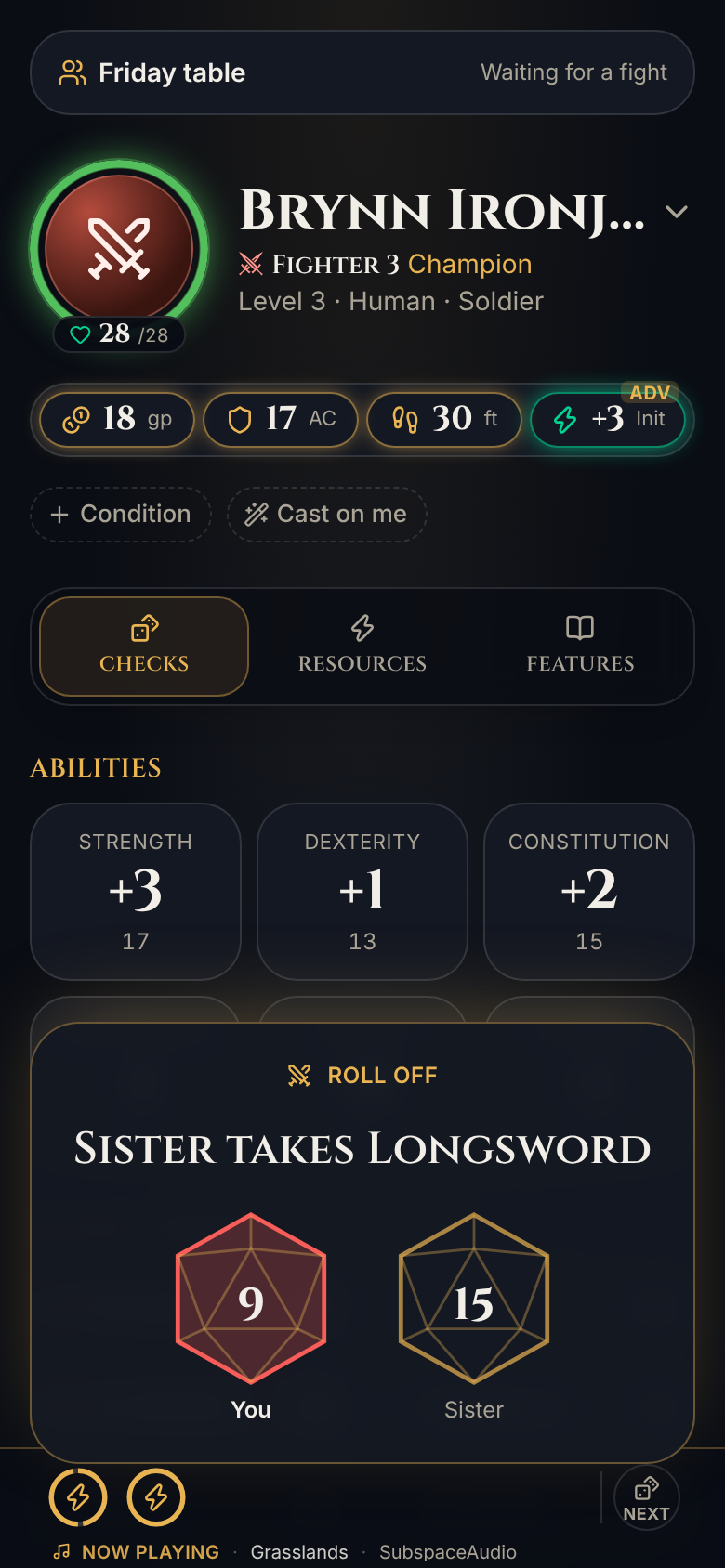
The roll off is a plain d20 with no modifiers on purpose. It’s table custom, not a rule, and if we added a skill to it, the same hero would win every single roll off. Coins get dealt out as a cut per hero. Past bounties go to an Earlier ledger, and loot the DM packs ahead of time sits on a shelf as a chest. I went back and forth on what to call those last two and landed on chest and bounty, and the code got renamed to match.
The DM’s phone gets tabs
The DM screen on a phone was one long scroll, with loot and prep stuff piled up at the bottom. I wanted tabs, but not at the bottom, because that’s where the combat resource bar lives. Fable went with Table, Loot and Prep across the top.
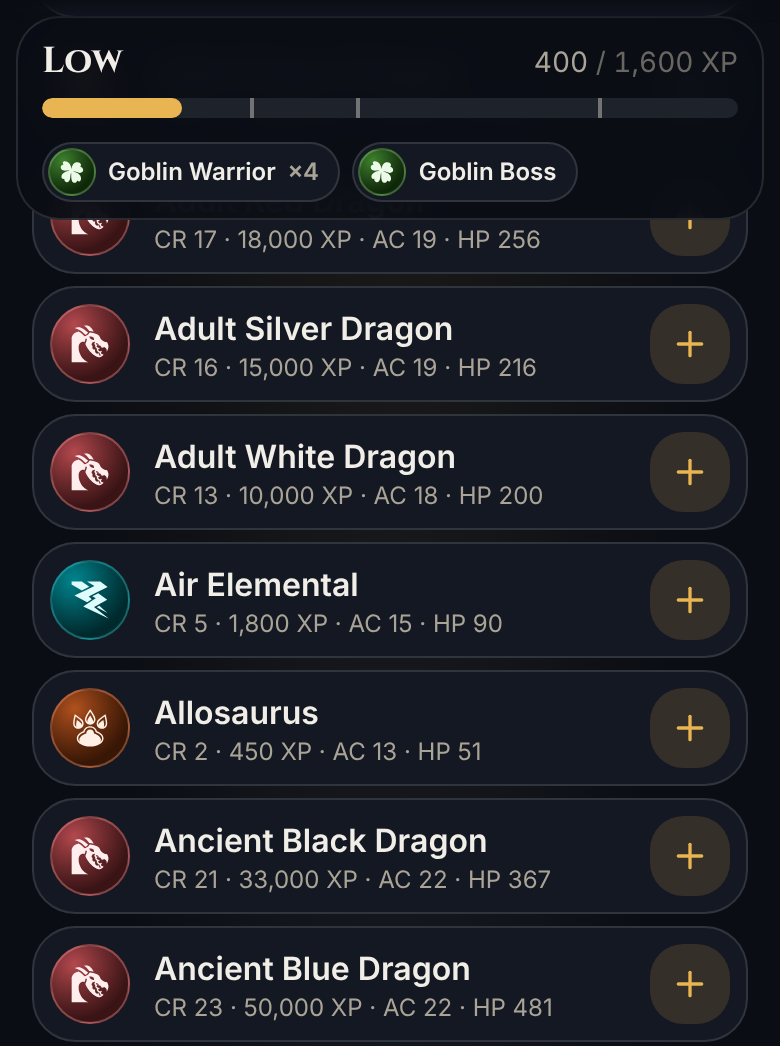
Building a fight had its own problem. As I added monsters, I couldn’t see the difficulty change without backing out to look. Fable mocked up three ways to fix it. I liked the second one, but as the page itself in the Prep tab, not a pop-up. Now the difficulty meter and the fight’s monsters stay pinned while you scroll the SRD list.
A tap does the thing
Little “tap to see a message” steps kept sneaking into new screens: a button that only explained something, a “Step 4 of 9”, a blurb under a button saying what the button does. I’d clean one up and another would show up a few screens later. So instead of one more cleanup, I asked why it kept happening.
The answer became a written rule in the project’s own guidelines, and Fable wrote it: a tap does the thing, and the details live behind a tap on the thing’s own name. Then Opus swept the whole app. Buttons that only showed a message are gone or now do the thing, step blurbs are gone, and a confirm is only there when you can’t undo it. Lines that tell you why you can’t do something stay.
There’s exactly one place I asked for more words: Settings’ Combat section, now called Rules. A rule switch like Strict rules gets one short line saying what it changes, because its name alone doesn’t.
Dice that land where they land
The dice got real physics, and Opus built it. They used to settle and then snap into a neat row, which I didn’t love, so now they bounce off the tray walls and each other and land where they land.
The catch: real physics decides which face comes up, and the engine has to decide the number. So the whole roll gets simulated before the first frame is drawn. That takes a few milliseconds for a handful of dice and about a tenth of a second for a hundred. Once we know which face each die lands on, the engine’s number gets printed on that face. A d4 lands point up, like a real one. The physics library is pure JavaScript, no WebAssembly to load, and about 25 KB. The dice roller also went from 20 dice to 100, because sometimes you need to roll a hundred dice.
A lobby of games
The app opens on a lobby now, with one tile per game. Right now that’s Fifth Edition and a “More?” tile that goes straight to Feedback to ask what should come next. Fable built it.
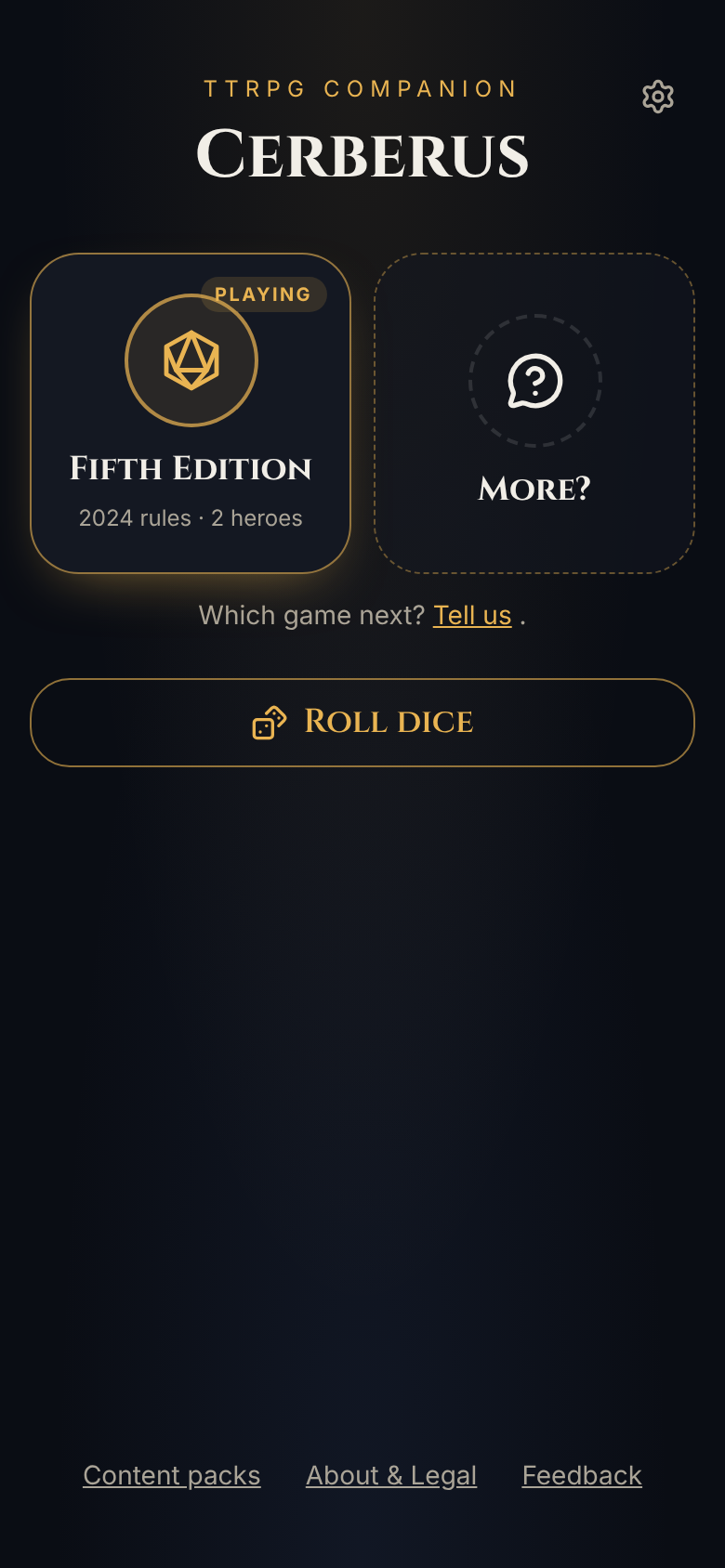
Honestly, with one game, the lobby costs a tap on every launch. I knew that going in and went with it anyway, because Cerberus isn’t meant to stay a one-game app, and I wanted the app’s shape to match where it’s going.
Testing it all
On Nov 1 we did a full test run across the builder, the sheet, combat, the table and the new homebrew workshop. 421 screenshots, 21 findings: no blockers, 4 major, 10 minor, 7 polish. The worst was a sneaky one: Lay On Hands on the combat wheel spent your Bonus Action and healed nobody. The others were the origin feat’s skill picker messing up the class skill list, the Monk’s Grapple and Shove DC, and the level-up preview missing features that come with a pick. Opus fixed all four majors that day, then the minor and polish ones.
Also in the pile
The rest of the week, in one breath: sending Feedback from inside the app, iPad layouts that grow and go two-up, color palettes for the whole app (Grove is a good one), the hero sheet running in the same fighter frame as monsters and companions, players picking targets from the same grid of faces the DM uses, hero tiles with a long-press actions menu, the builder starting with Species, and the dev diary split into one file per entry.
That’s week five. See you next week.